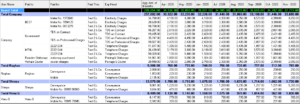
About PRS (Payment Reminder System)
How to open
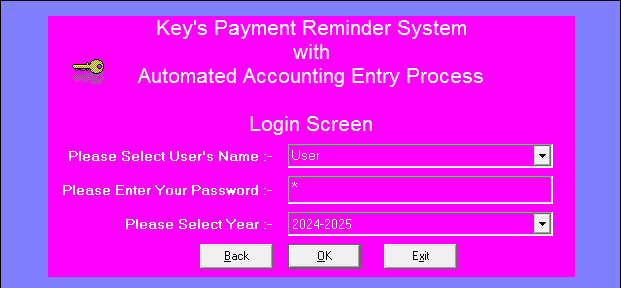
First open Tally and select the desired company.
Then open the Payment Reminder System. Which ask you to select User name and other credentials and select the same accounting year which you have selected in Tally.
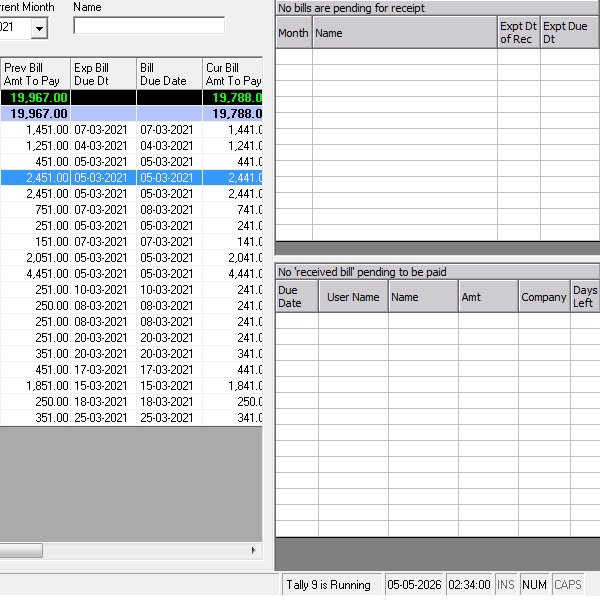
Side panel showing pending list
This side panel has two sections.
The upper section displays expenses whose expected bill receipt date has passed and for which the bill has not yet been received. It helps users track pending bills.
The lower section displays bills that are due for payment soon. It includes bills that have already been received and booked but remain unpaid.
The bills shown are based on the reminder days configured when the master record was created.
Create Masters
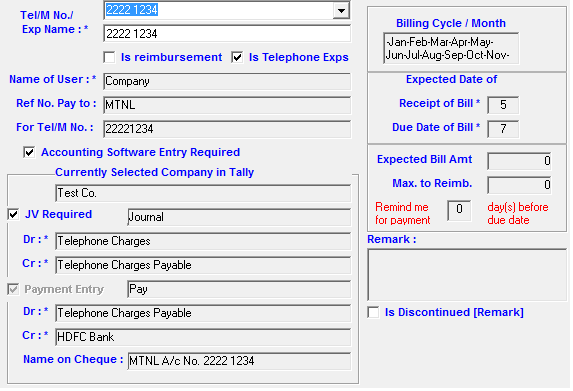
Create masters in database of all expenses. Let it be company expenses or reimbursement to employees or statutory payments. You can select “Billing Cycle” it could be every month or bi-monthly or quarterly or twice in a month or you can have you own selected month.
Select the company in which you want this Master to be linked with. Then selected the desired account heads. Please note that these details will be fetched from Tally which is open in the background.
Enter Expected date of bill receipt and due date and other details.
Create entries and post them
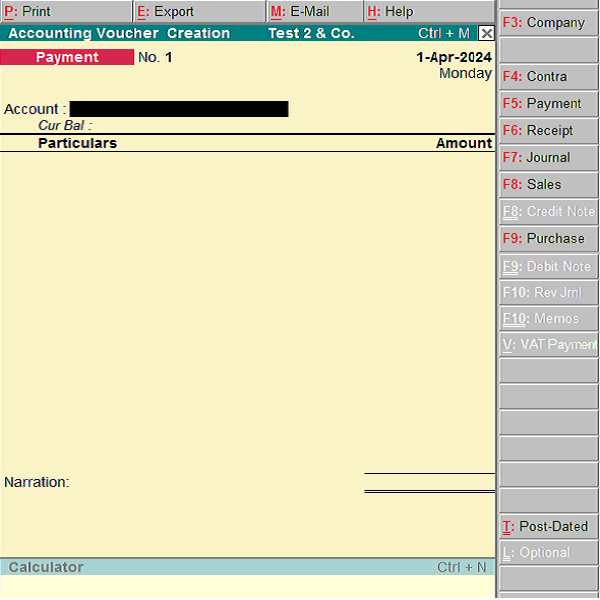
Creating Journal Entry or Payment entry is pretty simple in PRS. Just selected the desired “bill received” from right panel and save in “Payment Screen” and just click on button “Post”. Entry will automatically posted in respected vouchers in Tally.
Generate MIS, Fund Flow, Projections
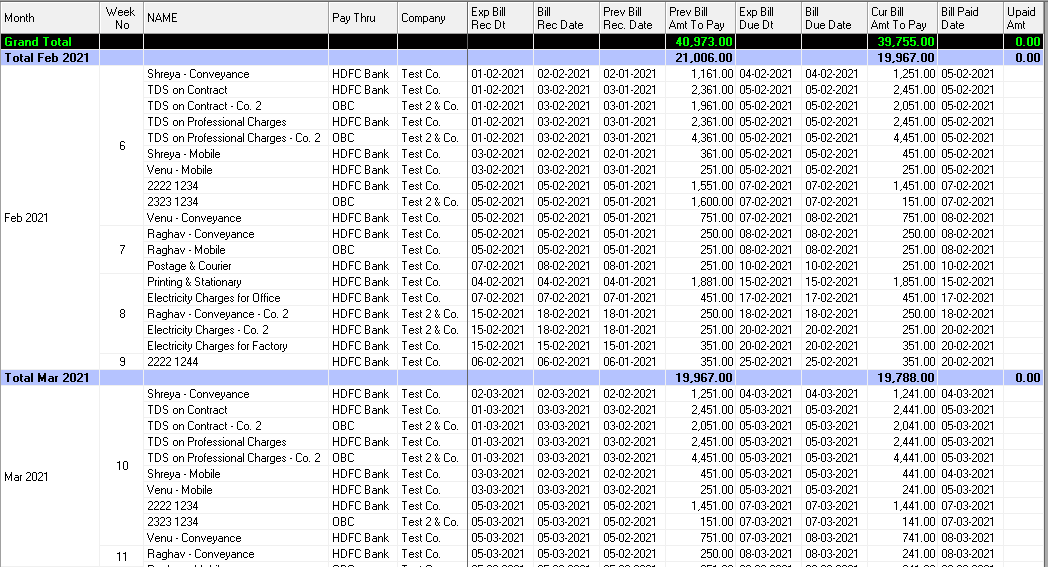
Select the desired month for which you want to make analysis. After that you will be able to add previous month also you can add next month to make the three month analysis.
It will also show you how much you have paid and how much is still unpaid and you can make fund available.
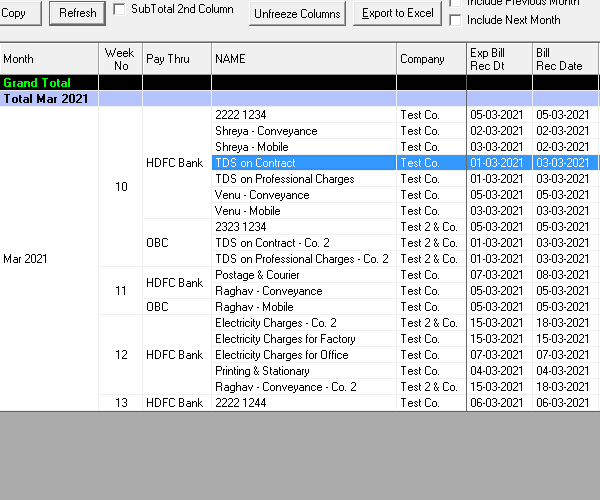
Drag and Drop column and it will auto regroup
You just drag and drop the column and it will be regrouped.
This picture shows fund required in each bank on weekly basis for the month of March

Automate Your Financial Workflow
Reduce manual work with smart book keeping and reconciliation tools.

Real-Time Visibility Into Your Finances
Track cash flow, expenses, and profitability with live financial insights.

Accounting That Works the Way You Do
Customizable workflows and easy integrations for modern business teams.